Case study 01 · Supply Chain ERP
Making complex fulfillment workflows easier to understand and faster to execute.
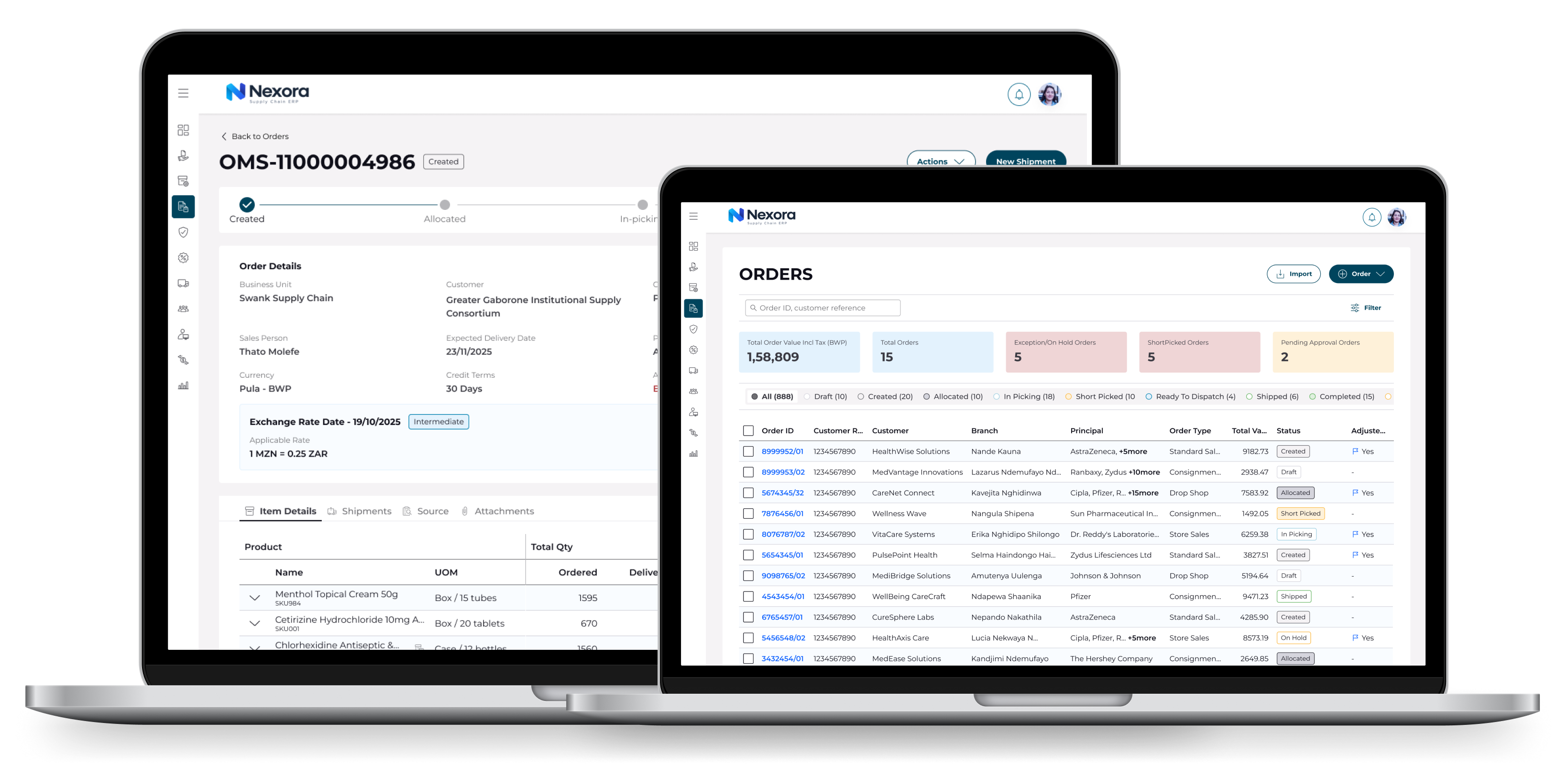
Context
Complexity is the product's nature, not its problem.
Enterprise ERP products contain complex workflows, business rules and operational dependencies.
The design challenge was to simplify these workflows without removing the flexibility required by different business users and operational scenarios.
Design approach
Started with low-fidelity wireframes, validated concepts with business stakeholders and end users, refined the experience based on feedback, then translated validated concepts into high-fidelity development-ready designs.
Orders module
Redesigning the Orders Experience
The Orders module is the operational heart of the fulfillment suite — every downstream process, from inventory allocation to invoicing, begins here. It was redesigned end-to-end, covering order creation, order-level discounts, promotions, and batch management, so that a single coherent workflow replaced what was previously a set of disconnected, form-heavy screens.
The problem
Order creation in the legacy experience forced users to hold the system's complexity in their heads. Discounts lived in one place, promotions in another, and batch allocation happened after the fact — often surfacing errors only at review or fulfillment. Sales operators, pricing teams, and warehouse users each touched the same order but saw no shared picture of it. The result: high error rates, long training curves, and orders that bounced back late in the cycle when fixing them was most expensive.
Design intent
Instead of simplifying by removing capability, the redesign restructured the workflow around how business rules actually fire. The guiding principle:
Surface the consequence of every decision at the moment it's made — not at the end of the flow.
What was redesigned
Orders
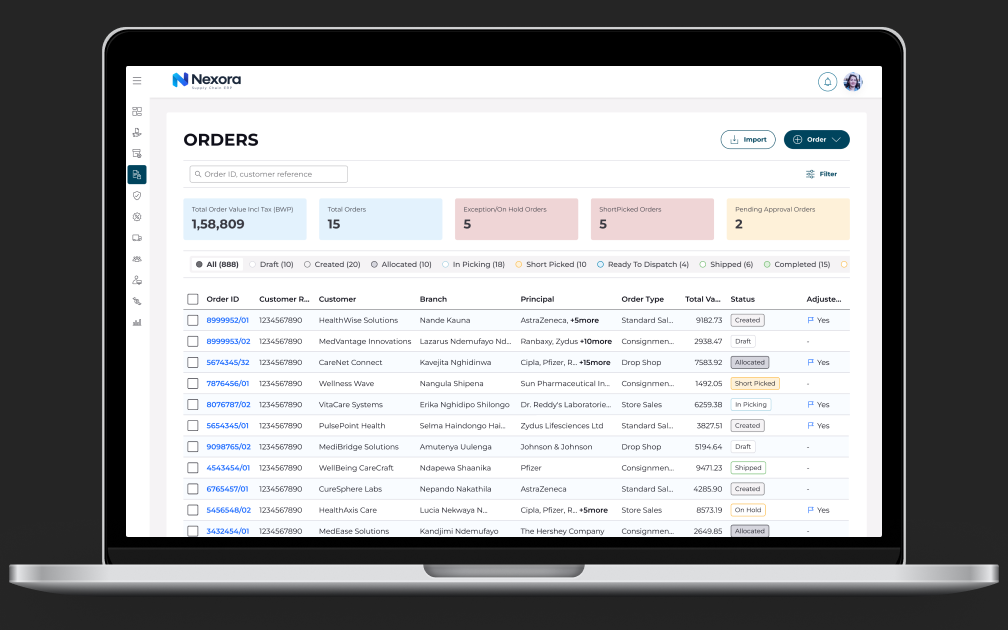
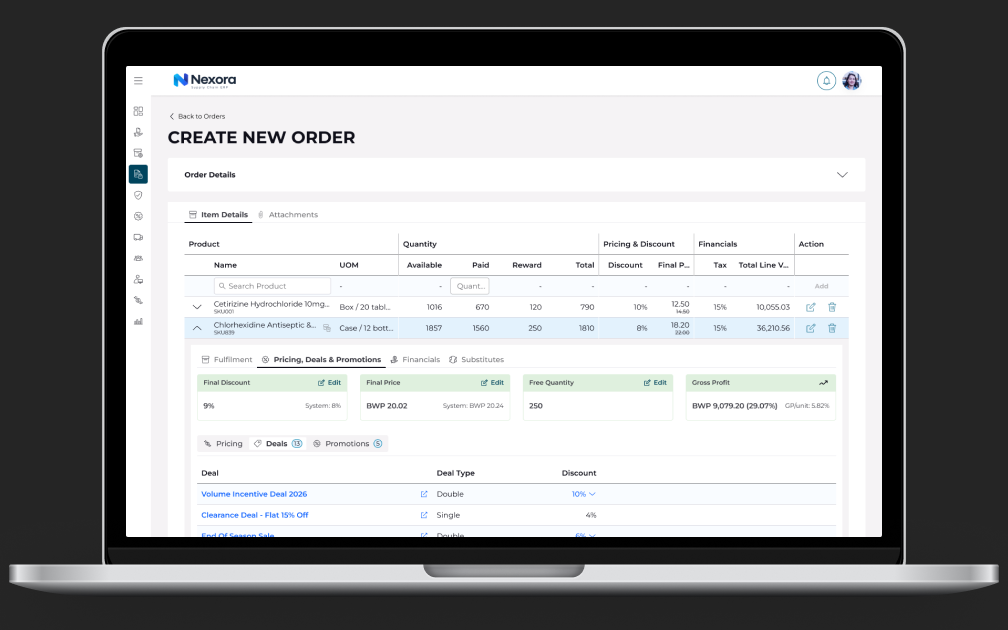
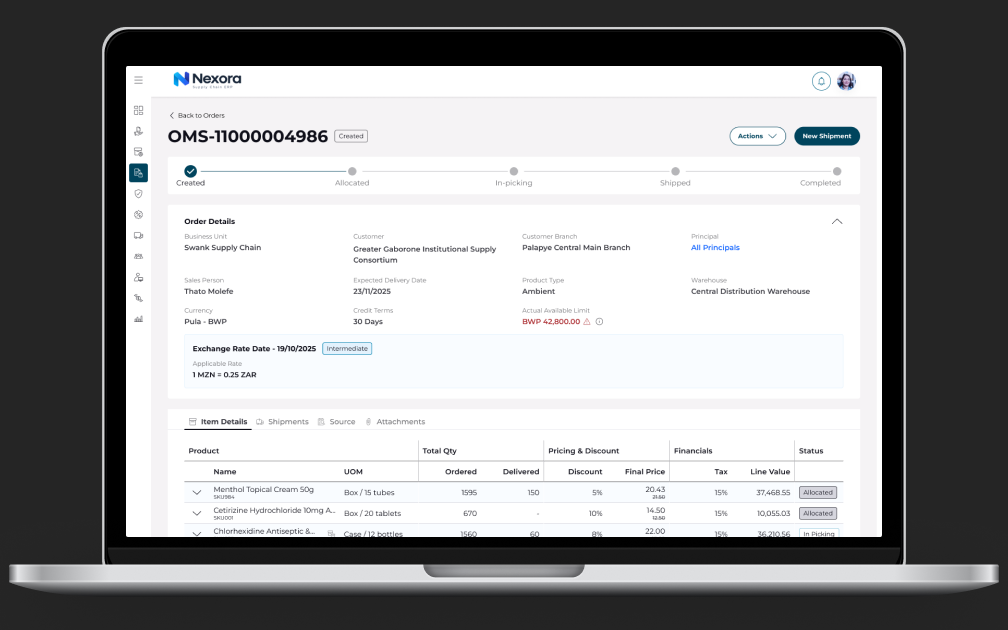
A guided, progressive order-creation flow replaced the monolithic form. Customer, terms, and line items resolve in sequence, with pricing, tax, and availability computed live per line. Validation moved inline — errors are prevented at entry rather than caught at submission. A persistent order summary keeps totals, margins, and rule outcomes visible throughout.
Order-level Discounts
Discount logic was made transparent. Users see which discounts are eligible, which have been applied, and how each affects the order total — with a clear breakdown of stacking and precedence. Manual overrides are supported but visibly flagged, keeping flexibility without sacrificing auditability.
Promotions
Promotions were previously invisible until they either applied or silently didn't. The redesign shows qualifying and near-qualifying promotions in context ("Add 2 more units to qualify"), turning a black-box rules engine into a decision-support tool for the sales operator.
Batch Management
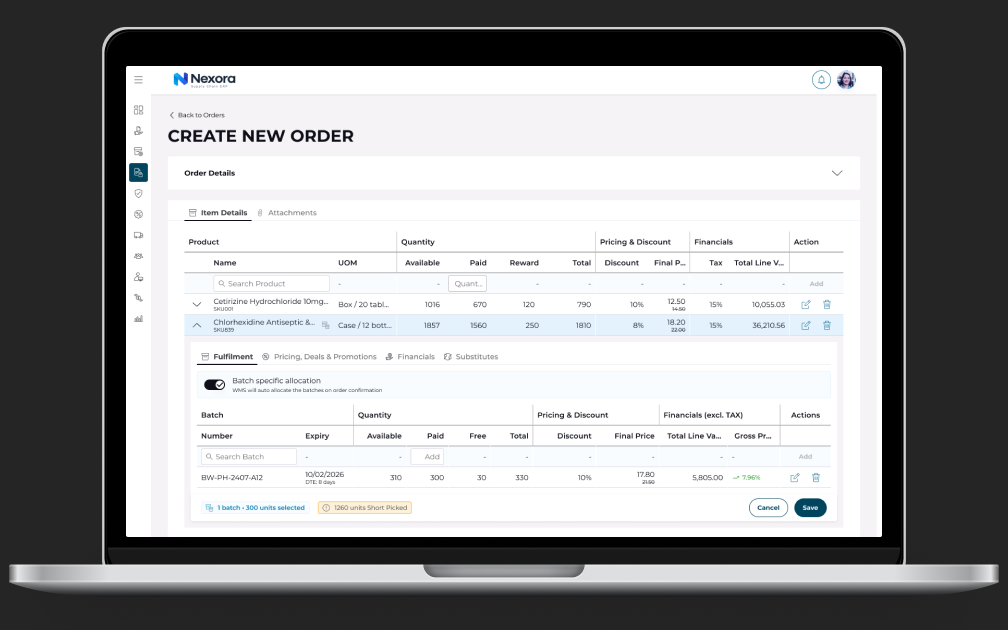
Batch allocation moved into the order flow itself. Users can view available batches with expiry, quantity, and location, and allocate against FEFO/FIFO strategies — or let the system auto-allocate and simply confirm. Conflicts (expiring stock, partial availability) surface during creation, not at fulfillment.
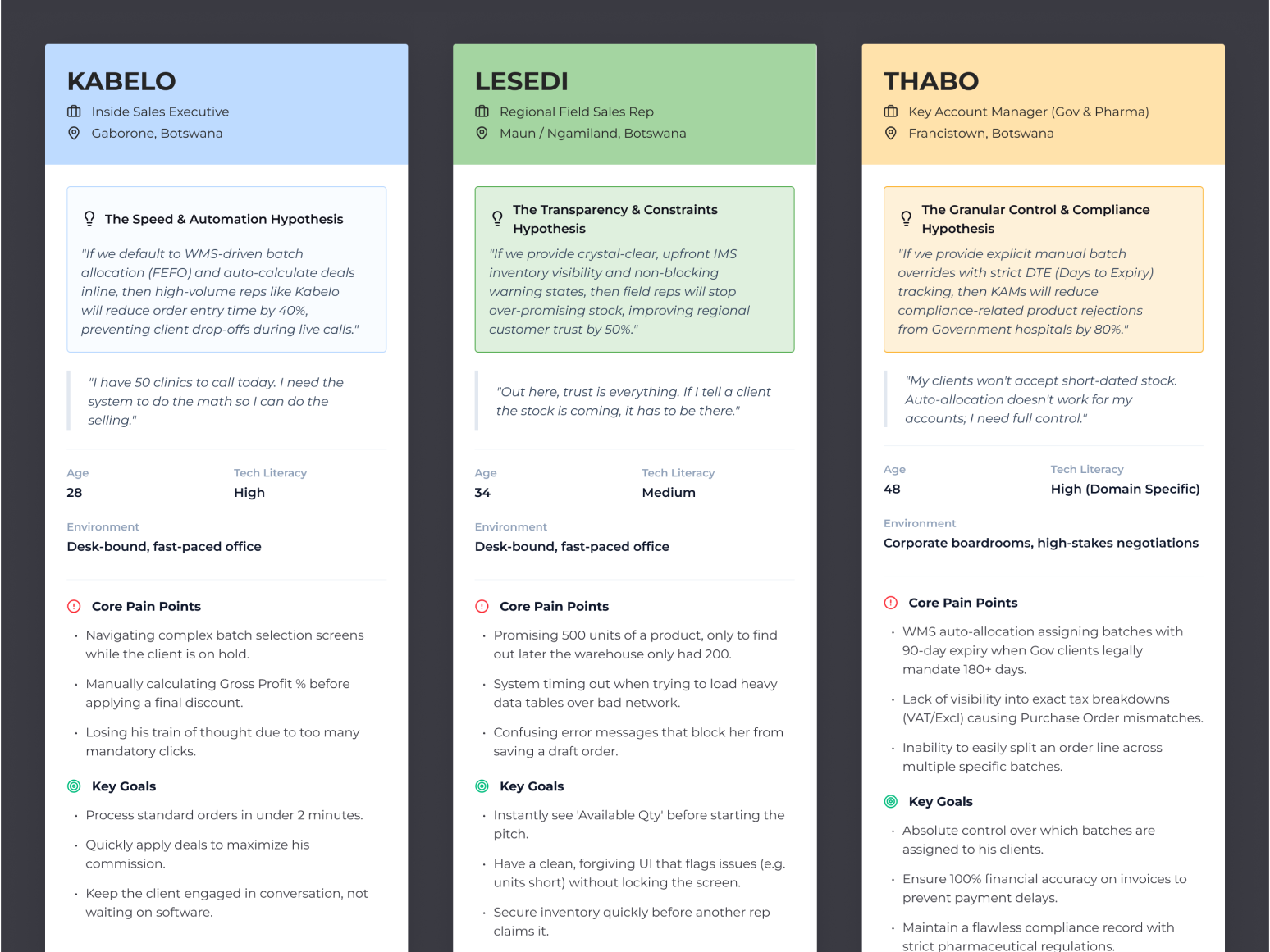
Research foundations
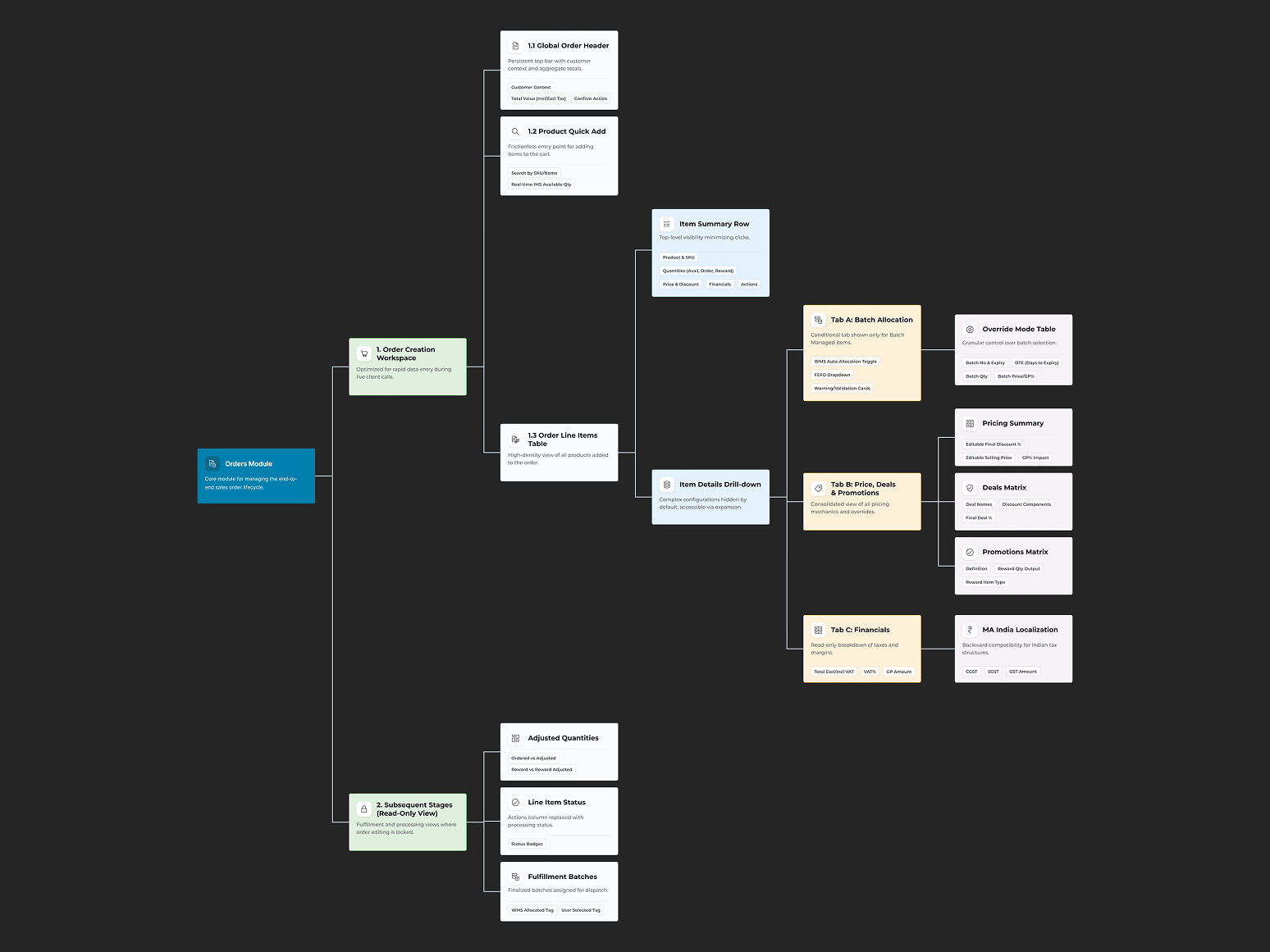
Key screens
The redesigned workflow
Create Order → Discounts / Promotions → Batch Management → Review → Fulfill
01→
Create OrderGuided entry with live validation, inline pricing, and real-time availability per line item.
02→
Discounts / PromotionsEligible discounts and promotions presented in context with transparent stacking logic and impact on totals.
03→
Batch ManagementBatch and expiry-aware allocation with system-suggested assignments the user can accept or adjust.
04→
ReviewA consolidated pre-fulfillment summary: line items, applied rules, discounts, allocated batches, and any outstanding warnings in one view.
05■
FulfillConfirmed orders release downstream with a full audit trail of every rule, discount, and allocation decision.
Outcome
The Orders redesign turned a sequence of disconnected transactions into a single legible workflow. Users report significantly faster order creation, errors are caught at entry instead of at review, and new operators reach proficiency in a fraction of the previous onboarding time — contributing directly to the +40% task success rate measured across the suite.
Inventory ASN
Bringing Predictability to Inbound Operations
The Advance Shipping Notice (ASN) module governs everything that arrives at the warehouse: what's coming, when, in what quantity, and against which purchase order. It's where the digital record meets physical reality — and where discrepancies between the two create the most operational pain.
The problem
Inbound receiving was reactive. Warehouse teams often learned what was arriving when the truck showed up. ASN data existed in the system but was fragmented across purchase orders, supplier communications, and receiving screens — so dock scheduling, labour planning, and putaway happened on guesswork. Discrepancies (short shipments, over-shipments, damaged goods, wrong batches) were handled through ad-hoc workarounds that broke inventory accuracy downstream.
Design intent
Treat the ASN not as a document to be filed, but as a forward-looking operational signal. The redesign centred on a single question every receiving user asks:
What's arriving, and am I ready for it?
What was designed
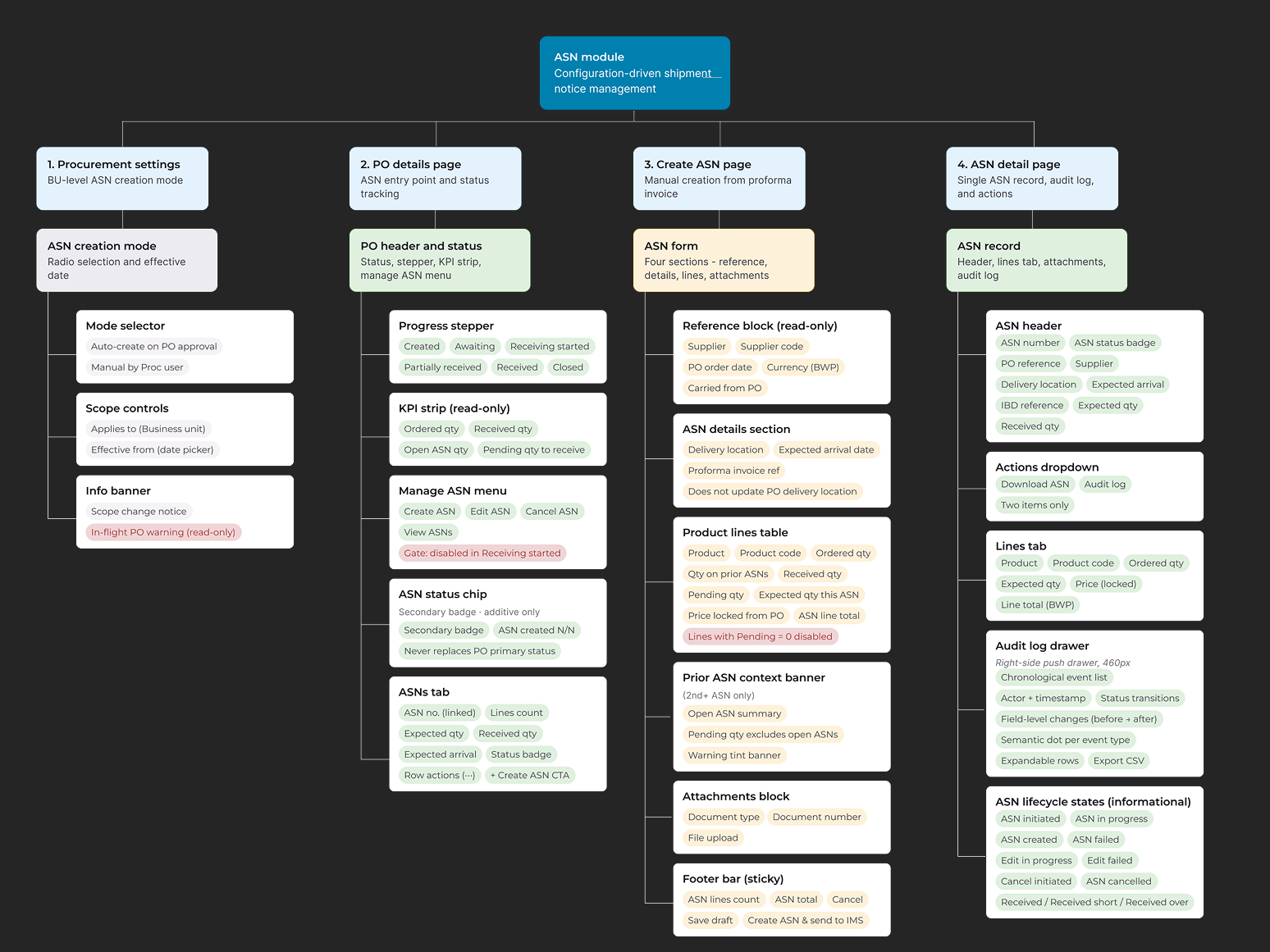
ASN pipeline view
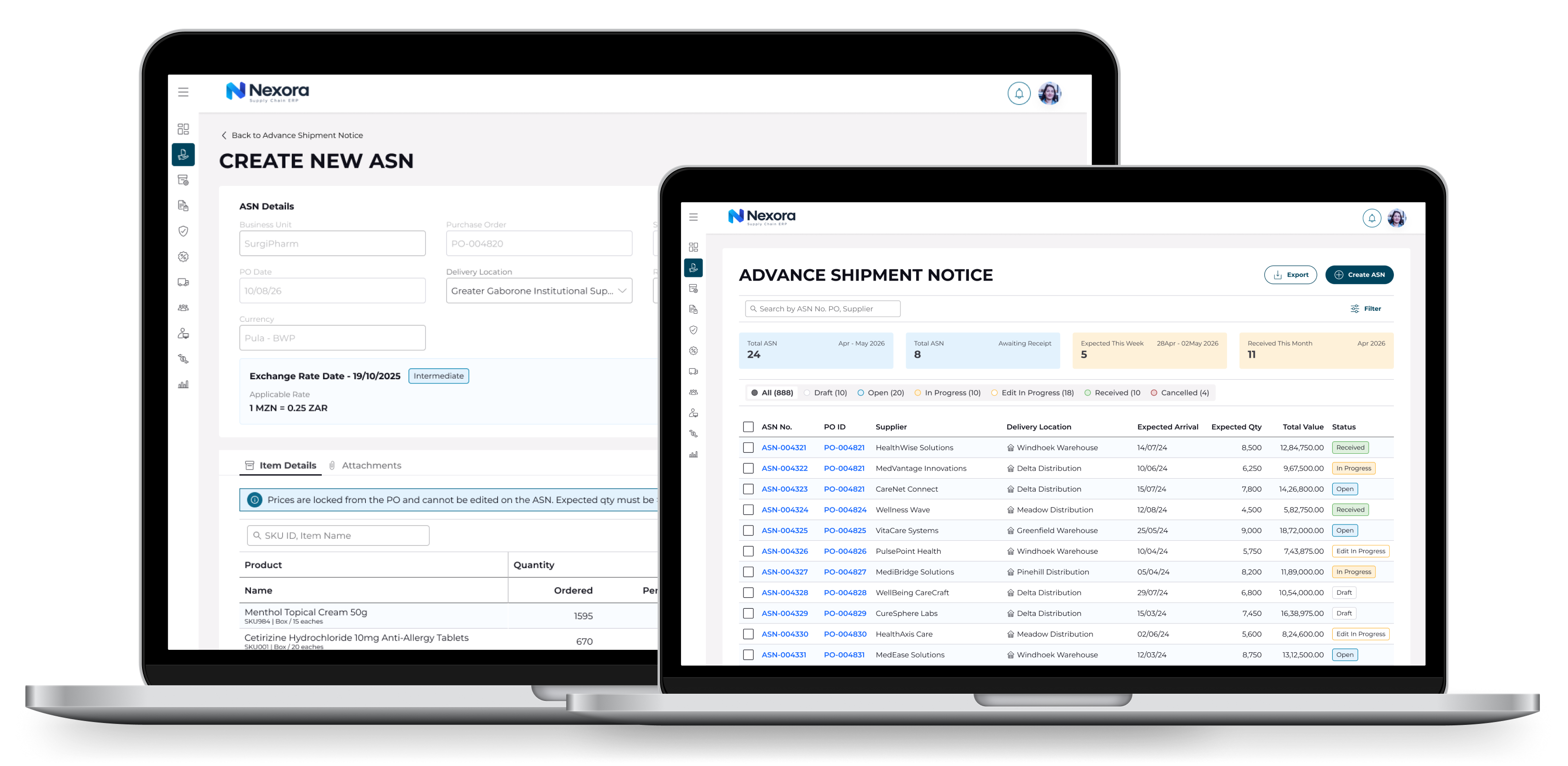
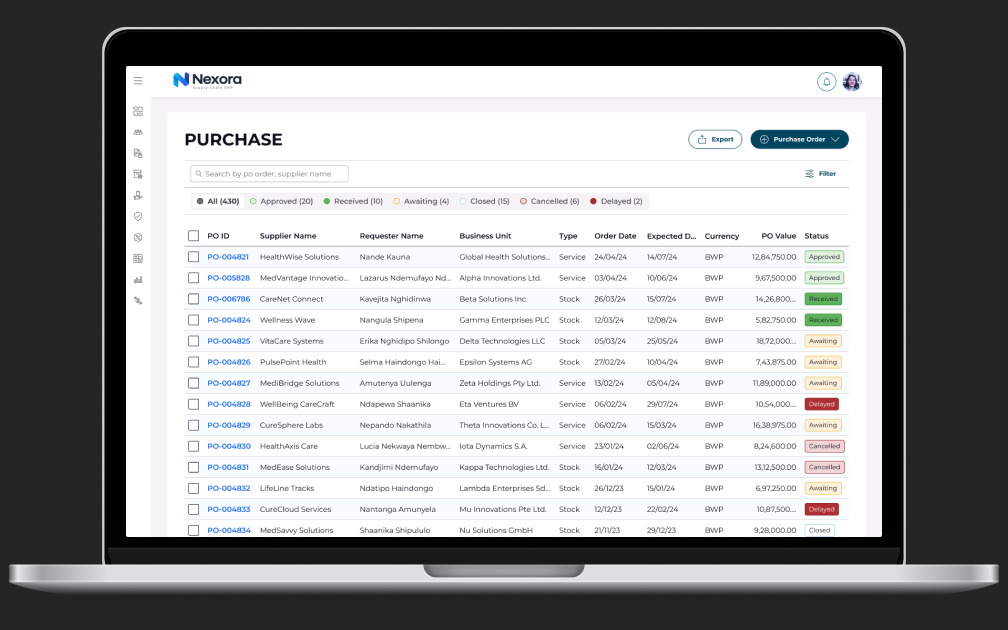
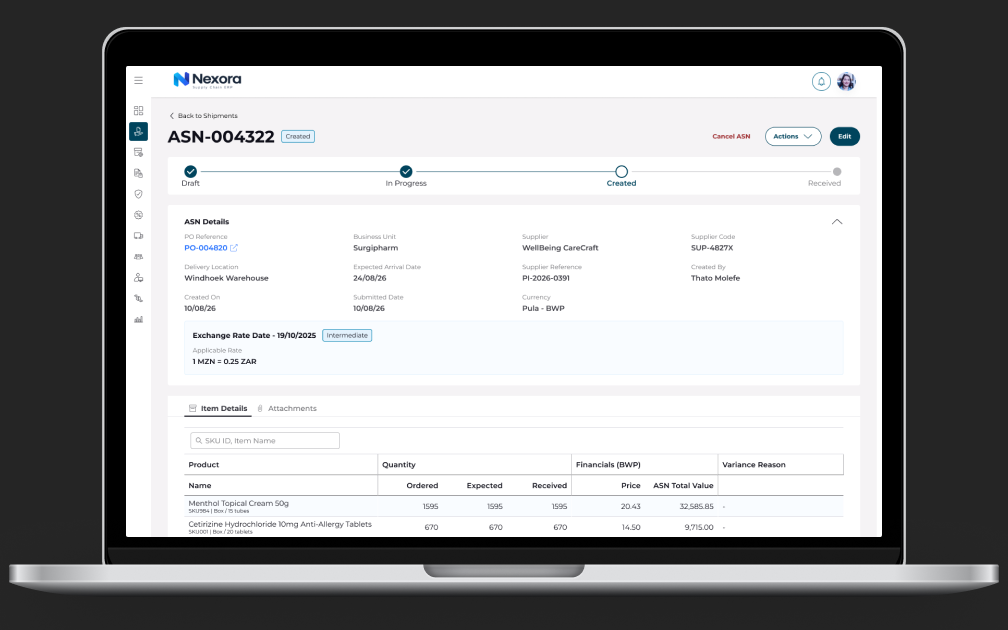
A timeline-based dashboard of inbound shipments — expected, in transit, arrived, receiving, completed — replacing the flat document list. Users can see volume by day and dock, letting supervisors plan labour and space before shipments land.
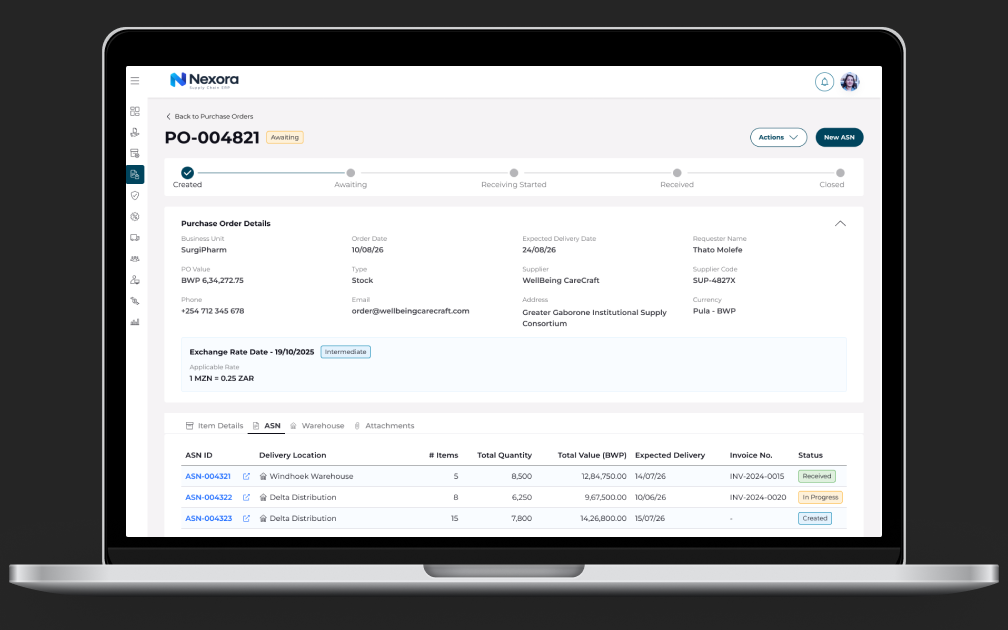
PO-linked ASN detail
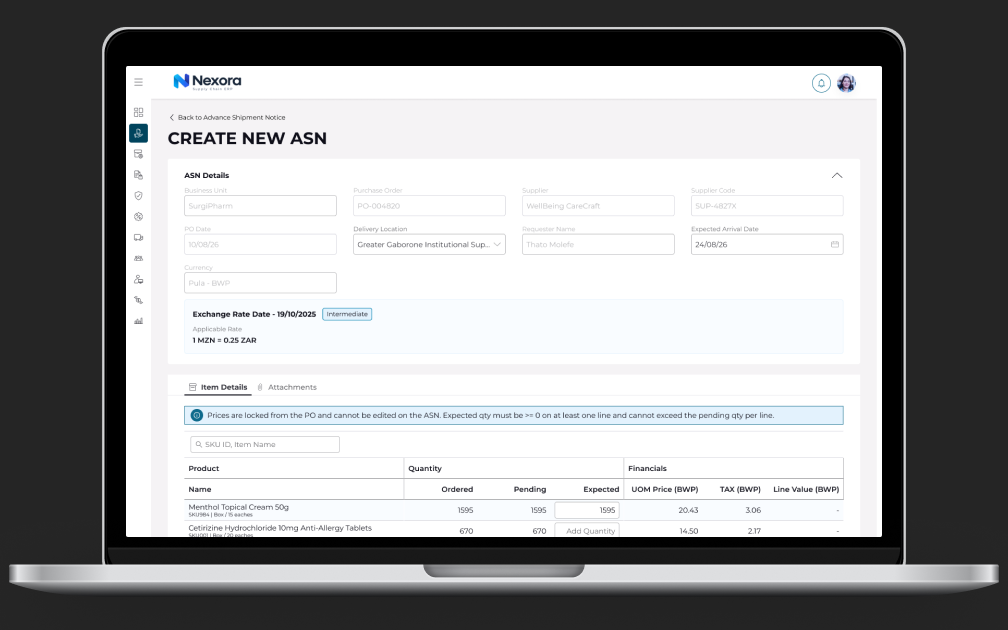
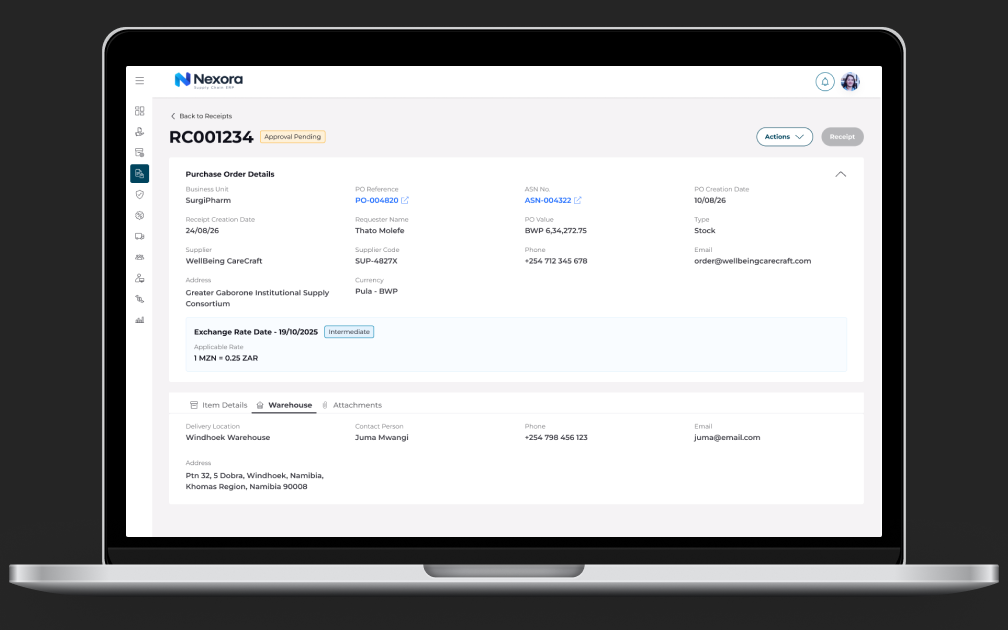
Every ASN is presented against its source purchase order, with expected vs. shipped quantities compared line by line. Variances are computed and flagged automatically, so mismatches are visible before receiving begins rather than discovered item-by-item at the dock.
Guided receiving flow
Receiving was restructured as a step-by-step verification flow: confirm shipment → verify lines → capture batch, lot, and expiry data → record discrepancies → complete putaway. Batch and expiry capture is enforced at receipt (not retrofitted later), which is what makes downstream batch management in Orders reliable.
Discrepancy handling
Short-shipments, overages, and damage each have a structured resolution path — partial receipt, rejection, or hold — with the variance automatically reflected against the PO and communicated upstream. Workarounds were replaced with sanctioned, auditable exceptions.
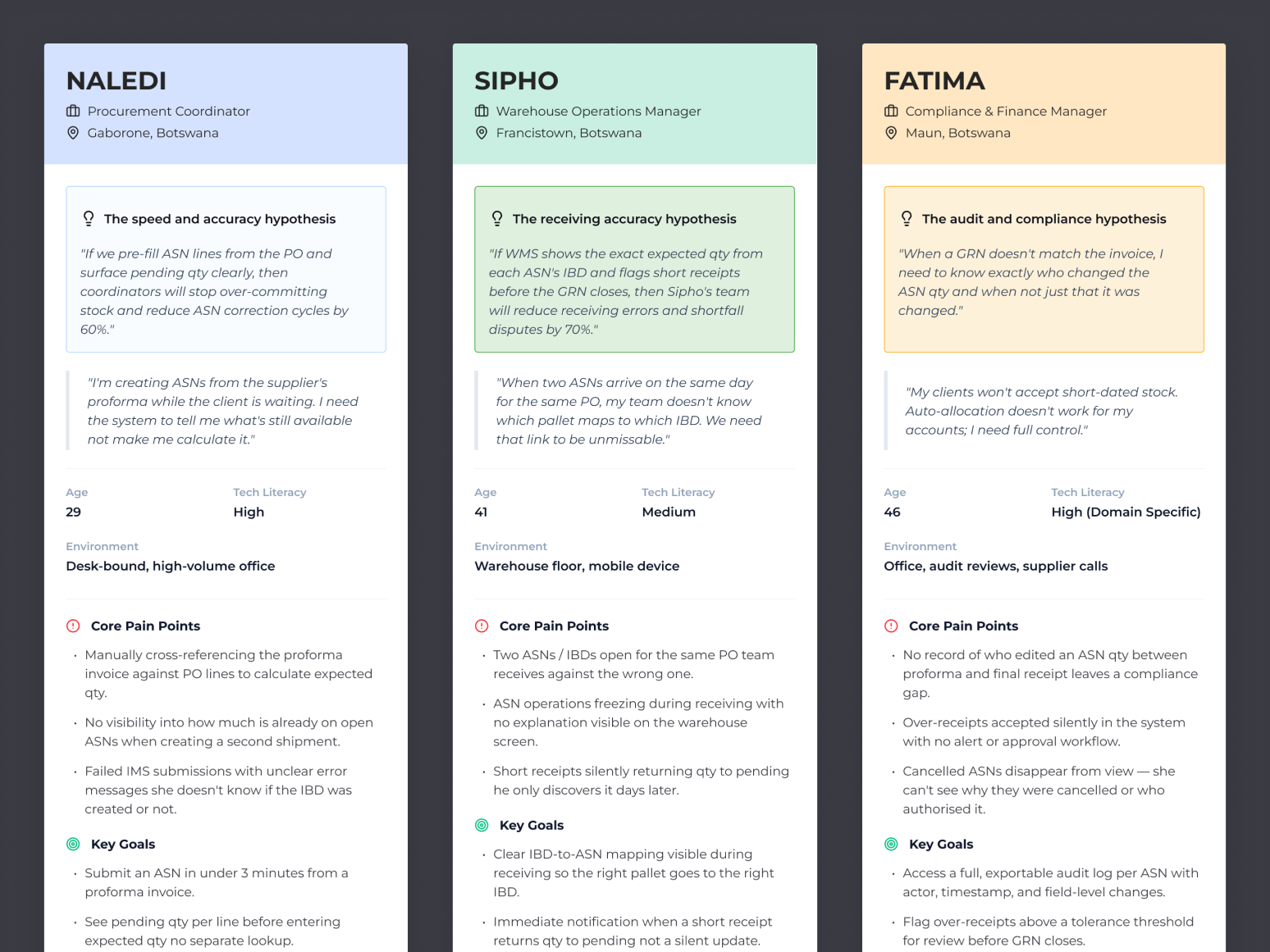
Research foundations
Key screens
Design decisions worth noting
Density with hierarchy
Receiving users work fast and scan tables; the design keeps information density high but uses status, variance highlighting, and progressive disclosure so the eye lands on what needs action.
Mobile/scanner-aware patterns
Key receiving steps were designed for handheld contexts, with large touch targets and scan-first input.
Error prevention at capture
Batch, lot, and expiry fields validate against PO and item master data at entry, protecting inventory accuracy at its source.
Outcome
ASN moved receiving from reactive to planned. Warehouse teams now see inbound volume in advance, discrepancies are caught and resolved at the dock with a full audit trail, and inventory accuracy improved because batch data enters the system correctly the first time — the foundation the Orders module's batch allocation depends on.
Pricing
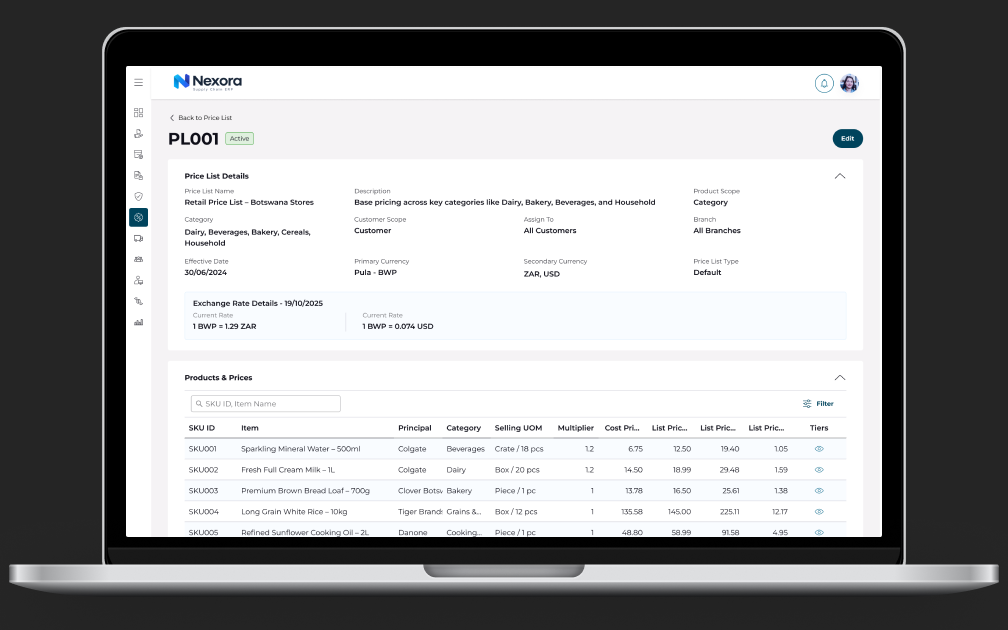
Simplifying Pricing
A new streamlined Pricing workflow was designed using a user-centred design process.
40%Improvement in task success rate
25%Reduction in design and iteration time
Validation
Validate early. Iterate with evidence.
Lo-Fi prototype→User validation→Insights→Iteration→Hi-Fi
Validated
Tested the Pricing & Discounts experience with 10 business users across real-world workflows to understand where the experience felt intuitive, where users hesitated, and what needed refinement before moving further into development.
What we learned
Users were able to understand the core workflows quickly, with the strongest confidence around navigation, workflow completion, and system safeguards. The sessions also surfaced a few areas worth refining — particularly making dependent fields more obvious, clarifying download actions, and explaining what happens when underlying prices change.
The takeaway
We didn't wait until high-fidelity to find out if the experience worked.
We tested early, listened to users, and used what we learned to make the design stronger.
This gives us a clearer, evidence-backed direction for the next iteration.
Business impact
Adoption across implementation
110,762Total Orders
$ 50.286MOrder Revenue
4,209Customers
Next case studyAfriTrade Portal →
All work